
ACCA Remote Exam Guide: Availability, Eligibility, Setup & Booking
Last Updated On -17 Sep 2026
By IIC Lakshya

With the increasing adoption of digital learning and online assessments, the Association of Chartered Certified Accountants introduced remote exams to offer students greater flexibility and accessibility. ACCA remote exams allow candidates to sit for certain computer-based exams from their home or another suitable location while maintaining strict security and exam integrity.
Understanding how ACCA remote exams work, including eligibility, technical setup, and exam rules, is essential for students who wish to take advantage of this convenient option.
What Are ACCA Remote Exams?
ACCA remote exams are computer-based examinations that can be taken outside a traditional exam centre. Instead of travelling to a test centre, candidates can sit the exam from home or another quiet environment using their own computer.
These exams are monitored through remote proctoring technology that supervises the candidate through a webcam, microphone, and secure exam software. This ensures the exam is conducted under conditions similar to a physical exam centre.
Which ACCA Exams Can Be Taken Remotely?
Not all ACCA exams are currently available in remote format. Remote exams are typically offered for selected Applied Skills papers, depending on availability and exam session policies.
Strategic Professional level exams and certain other papers may still require students to attend authorised exam centres. Students should check their exam entry portal to confirm whether their selected paper offers a remote exam option.
Eligibility for ACCA Remote Exams
To take an ACCA remote exam, candidates must meet specific requirements related to both technology and environment.
Students must:
-
Have a reliable internet connection
-
Use a compatible computer or laptop
-
Have a working webcam and microphone
-
Sit the exam in a quiet and private room
ACCA may also require candidates to perform a system test before exam day to ensure their device meets all technical specifications.
Technical Requirements for ACCA Remote Exams
Before scheduling a remote exam, candidates must ensure their system meets the required technical standards. Key requirements typically include:
-
A stable broadband internet connection
-
A laptop or desktop computer (tablets and phones are not allowed)
-
A functioning webcam and microphone
-
Updated operating system and browser compatibility
Students are strongly advised to run ACCA’s system compatibility test well before exam day to avoid technical issues.
How the Remote Exam Monitoring Works
Remote exams are supervised by online invigilators through advanced proctoring software. During the exam, the system monitors:
-
Webcam video feed
-
Microphone audio
-
Screen activity
Candidates may also be required to show their surroundings before the exam begins to confirm there are no unauthorized materials present.
Rules Students Must Follow During Remote Exams
ACCA maintains strict exam security policies for remote exams. Students must follow all exam regulations, including:
-
Sitting alone in a quiet room
-
Keeping the desk clear of books or notes
-
Not leaving the camera view during the exam
-
Avoiding any communication with others
Violation of these rules may lead to exam cancellation or disciplinary action.
Advantages of ACCA Remote Exams
Remote exams provide several benefits for ACCA students.
Firstly, they eliminate the need to travel to exam centres, saving time and cost. Secondly, they allow students in remote locations or busy professionals to access exams more conveniently. Finally, the flexibility helps candidates schedule exams in environments where they feel more comfortable and focused.
Challenges of Taking ACCA Exams Remotely
While remote exams are convenient, they also come with challenges. Technical issues, unstable internet connections, and unfamiliar exam software can create stress if students are not properly prepared.
Additionally, maintaining strict exam conditions at home can sometimes be difficult, especially in shared living environments.
Proper preparation and a reliable setup are essential for a smooth remote exam experience.
Tips for Successfully Taking an ACCA Remote Exam
Students planning to take a remote exam should prepare their environment and equipment in advance.
Helpful tips include:
-
Testing your system at least a few days before the exam
-
Ensuring a quiet room with minimal interruptions
-
Keeping all required identification ready
-
Logging in early on exam day
These small preparations can significantly reduce stress and improve focus during the exam.
Mastering the ACCA Remote Exam Experience
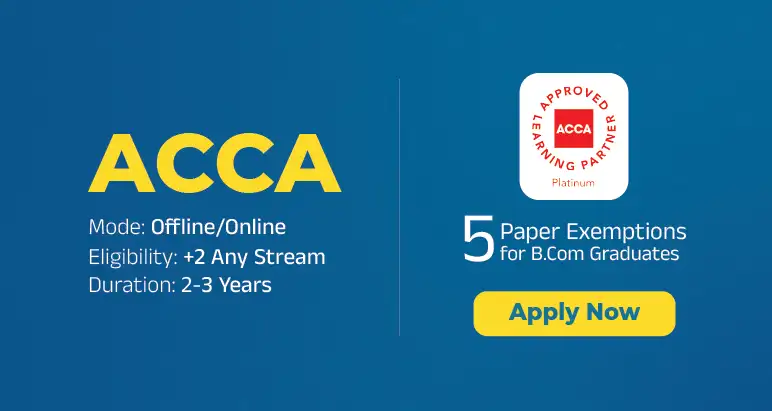
ACCA remote exams offer an efficient, flexible pathway toward qualification by eliminating travel requirements while preserving the same rigorous standards as center-based testing. Navigating the remote proctoring environment successfully requires balancing technical readiness such as internet stability and system compatibility with a thoroughly controlled, disruption-free testing space. As an ACCA Approved Platinum Learning Partner, IIC Lakshya provides candidates with comprehensive academic prep, exam-day strategies, and technical guidance to help you navigate Applied Skills papers with confidence and precision.
FAQs on ACCA Remote Exams
Can all ACCA exams be taken remotely?
No, only certain Applied Skills exams are available as remote exams depending on the session.
Do I need a webcam for ACCA remote exams?
Yes, a webcam and microphone are required for remote proctoring and monitoring.
Can I take the exam from anywhere?
You must take the exam in a quiet, private room with a stable internet connection.
What happens if my internet disconnects during the exam?
The exam system may allow reconnection, but candidates should ensure a stable connection to avoid disruptions.
Are remote exams easier than centre-based exams?
No, the difficulty level and exam format remain the same as standard ACCA exams.
Related Blogs